
Tech
AdGuard is your one-time fix for pop-ups, autoplay ads, and online tracking — now $16

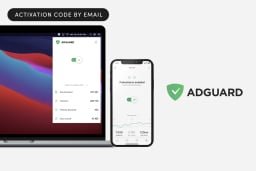
TL;DR: Through Feb. 22, grab a lifetime AdGuard Family Plan for $15.97 (reg. $169.99) and remove ads and trackers on up to nine devices for good.
Opens in a new window
Picture browsing, streaming, and scrolling without constant interruptions — no pop-ups, no autoplay videos, no tracking scripts following you around. AdGuard delivers a cleaner, safer internet across nine mobile and desktop devices with one lifetime license. Lock in the $15.97 deal before Feb. 22.
Want to browse the web without the jump scare of pop-up ads? Wouldn’t it be nice to watch a YouTube video without having to sit through a boring video ad beforehand? AdGuard rids your internet experience of both of these things, easily blocking ads from your internet experience for good.
Aside from blocking ads, AdGuard also doubles as a privacy protection tool. It can protect you from cyberattacks, like malware and phishing sites, while also keeping your information hidden from trackers and activity analyzers.
This AdGuard Family Plan lets you protect up to nine devices, allowing them to enjoy an ad-free, safer internet experience. It works seamlessly on both Android and iOS, so you can cover smartphones, laptops, and tablets.
If you have kids at home, the parental control feature can also come in handy. It restricts children’s access to inappropriate online content, serving as their own internet babysitter.
Get your AdGuard lifetime subscription for $15.97 until Feb. 22 at 11:59 p.m. PT (reg. $169.99).
StackSocial prices subject to change.


TL;DR: Live stream Wales vs. France in the 2026 Six Nations for free on BBC iPlayer. Access this free live stream from anywhere in the world with ExpressVPN.
The Six Nations started with a number of huge performances from the usual candidates. The best performance from the opening round? It's difficult to look past France. They dismantled Ireland in front of a passionate Stade de France, making a big statement of intent as the tournament kicked off.
Next France face Wales at the Millennium Stadium. Wales suffered a defeat to England in the opening round, and will be hoping to see improvements over the next few weeks. Fans will expect France to win this one comfortably, but you can never truly count out Wales.
If you want to watch Wales vs. France in the 2026 Six Nations for free from anywhere in the world, we have all the information you need.
When is Wales vs. France?
Wales vs. France in the 2026 Six Nations starts at 3:10 p.m. GMT on Feb. 15. This fixture takes place at the Millennium Stadium.
How to watch Wales vs. France for free
Wales vs. France in the 2026 Six Nations is available to live stream for free on BBC iPlayer.
BBC iPlayer is geo-restricted to the UK, but anyone can access this free streaming platform with a VPN. These handy tools can hide your real IP address (digital location) and connect you to a secure server in the UK, meaning you can unblock BBC iPlayer from anywhere in the world.
Live stream Wales vs. France from anywhere in the world by following these simple steps:
-
Subscribe to a streaming-friendly VPN (like ExpressVPN)
-
Download the app to your device of choice (the best VPNs have apps for Windows, Mac, iOS, Android, Linux, and more)
-
Open up the app and connect to a server in the UK
-
Visit BBC iPlayer
-
Live stream Wales vs. France for free from anywhere in the world

Opens in a new window
The best VPNs for streaming are not free, but most do offer free-trials or money-back guarantees. By leveraging these offers, you can watch Wales vs. France without committing with your cash. This isn't a long-term solution, but it does give you enough time to stream most of the 2026 Six Nations before recovering your investment.
If you want to retain permanent access to free streaming services to watch the Winter Olympics, the T20 World Cup, and more from anywhere in the world, you'll need a subscription. Fortunately, the best VPN for streaming live sport is on sale for a limited time.
What is the best VPN for the 2026 Six Nations?
ExpressVPN is the best choice for bypassing geo-restrictions to stream live sport, for a number of reasons:
-
Servers in 105 countries including the UK
-
Easy-to-use app available on all major devices including iPhone, Android, Windows, Mac, and more
-
Strict no-logging policy so your data is secure
-
Fast connection speeds free from throttling
-
Up to 10 simultaneous connections
-
30-day money-back guarantee
A two-year subscription to ExpressVPN is on sale for $68.40 and includes an extra four months for free — 81% off for a limited time. This plan includes a year of free unlimited cloud backup and a generous 30-day money-back guarantee. Alternatively, you can get a one-month plan for just $12.99 (with money-back guarantee).
Live stream Wales vs. France in the 2026 Six Nations for free with ExpressVPN.
TL;DR: Get forever access to ChatGPT, Gemini, and other top AI tools with a 1min.AI Advanced Business Plan lifetime subscription, now $74.97 through Feb. 22 (reg. $540).
Opens in a new window
At some point, most people using AI have the same realization: ‘Why am I paying for all these tools separately?’ ChatGPT here, Gemini there, another subscription for images, another for video — it adds up faster than streaming subscriptions.
1min.AI solves that problem by giving you access to multiple AI models in one place, and right now, it’s available as a lifetime deal at its best price yet. Save 86% on a lifetime subscription while this deal lasts.
What is 1min.AI?
If you’ve been intimidated by the idea of working with artificial intelligence, 1min.AI makes it totally accessible and a lot more convenient as a central hub for popular models. This handy tool lets you input your request in one place and enjoy the fruits of multiple AI models’ labor, with no tab-hopping required.
Need to create AI-generated images? Looking to whip up some content for social media? Since all the AI models have different strengths, 1min.AI takes the guesswork out of which service to use.
Take advantage of all the perks that ChatGPT, Gemini, Mistral, and more models have to offer, without having to pay multiple subscription costs. Just make sure to check 1min.AI’s output and make sure no light editing is required.
What’s included with the Advanced Business Plan?
This lifetime subscription includes:
-
Unlimited prompt library
-
Unlimited storage
-
Unlimited brand voice options
You’ll also receive 4,000,000 credits every month, which is enough to:
-
Write up to 1,112,500 words per month
-
Research up to 5,933 SEO keywords per month
-
Generate up to 1,186 images per month
-
Create up to 37 videos per month
If you ever need more credits, you can earn them for free by using the web app, referring friends, or leaving a review.
Get your 1min.AI lifetime subscription on sale for $74.97 through Feb. 22 at 11:59 p.m. PT (reg. $540). No coupon is needed.
StackSocial prices subject to change.

I love Kindles. Among e-readers, Kindles are still the best option for most readers. (I do love Kobos, though, don't get me wrong.) But within the Kindle line-up, there's been one dud: the Kindle Scribe. I've tested two previous generations of the Scribe, and it's been a decent enough e-reader, as well as the only Kindle with writing abilities. However, it's always been a little lackluster; it's too big, too slow, and too expensive — until now.
Announced in Sept. 2025, the Kindle Scribe Colorsoft didn't actually hit the market until Dec. 2025. Now that I've had the chance to try the Kindle Scribe Colorsoft, I'm pleasantly surprised, and I can confidently say that this is the first Kindle Scribe worth buying. It's faster, brighter, and a lot of fun for writing, reading, and doodling.
There's just one problem: It's still way too expensive.
Kindle Scribe Colorsoft price and specs
Credit: Samantha Mangino / Mashable
The 2025 Kindle Scribe received a significant redesign from the previous two generations of Scribes. They got rid of the extraneous sidebar for a more narrow, streamlined look.
These are the full specs for the 2025 Kindle Scribe Colorsoft:
-
11-inch glare-free display, up to 100 nits brightness, 300 ppi black and white, and 150 ppi color resolution
-
USB-C charging port with up to eight weeks of reading battery life and two weeks of writing battery life.
-
32GB or 64GB storage options available
-
Premium pen included
-
Includes Google Drive and Microsoft One integrations
-
Comes in fig (purple) or graphite (dark gray)
-
Not waterproof
Classic Kindle speed and a redesigned home screen
Credit: Samantha Mangino / Mashable
Historically, I've found that the Scribe runs slower than other Kindles, but with this latest iteration, it's caught up. The Scribe Colorsoft is a quick-moving e-reader with writing capabilities. It moves swiftly between pages and doesn't lag when switching between books. It does tend to slow down when writing and using the notebooks; however, it is much faster than previous models, and I barely noticed the difference.
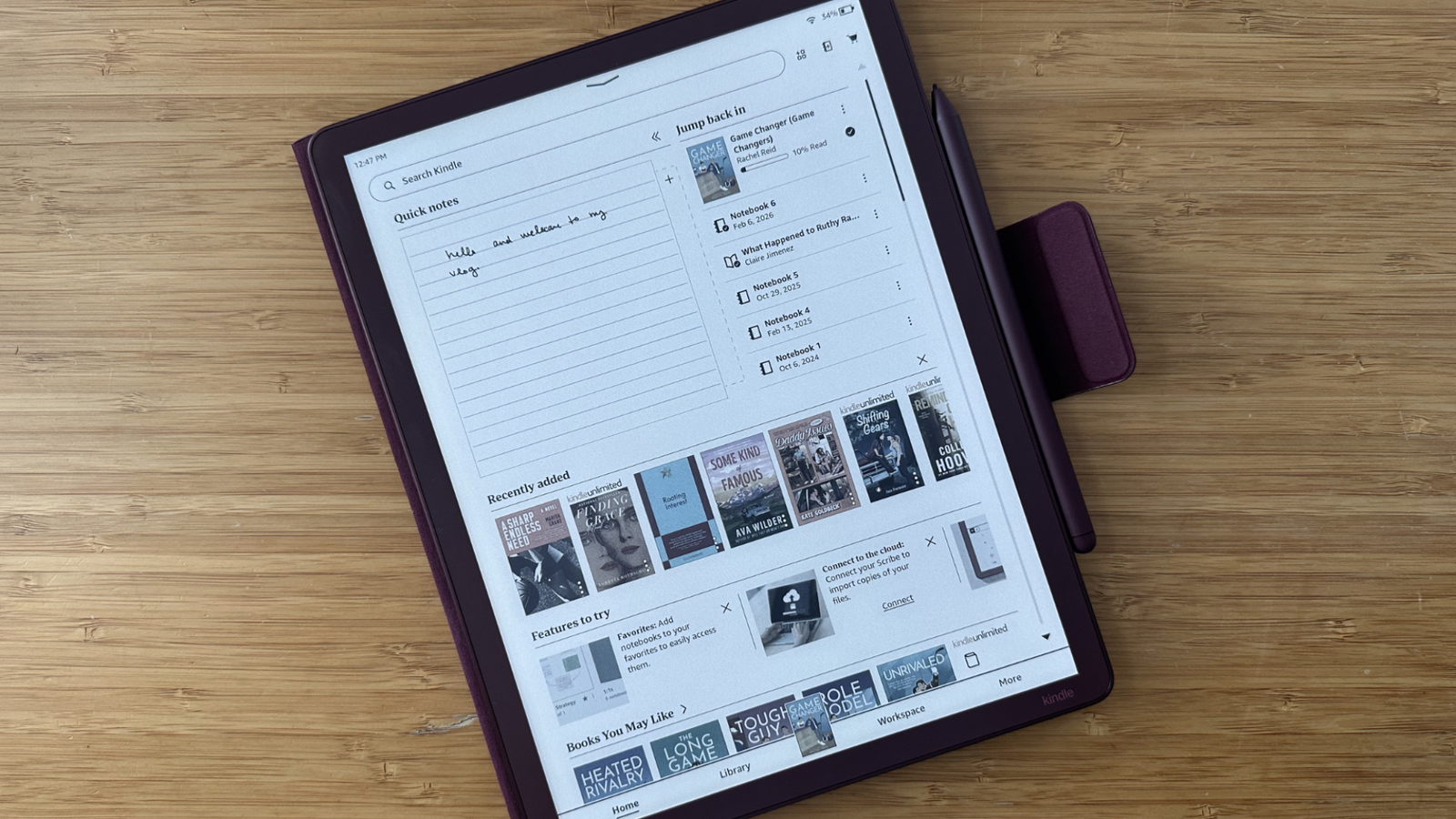
Kindles are generally already user-friendly devices; however, Amazon made some significant interface improvements on the new Scribe. The Scribe Colorsoft has a redesigned home screen that puts notebooks front and center. This makes it super convenient to switch between notebooks when you need to hop between a journal and a planner.
Plus, I love that you can add documents or books to your notebook section. For students, this makes swapping between your readings and notebooks truly convenient, so you don't have to move between your library and notebook sections.
It also just looks better. The device now has a front light, giving it a much lighter, brighter display. This means the screen has an actual white background rather than a muted gray that previous generations had.
It conveniently collects notes
Credit: Samantha Mangino / Mashable
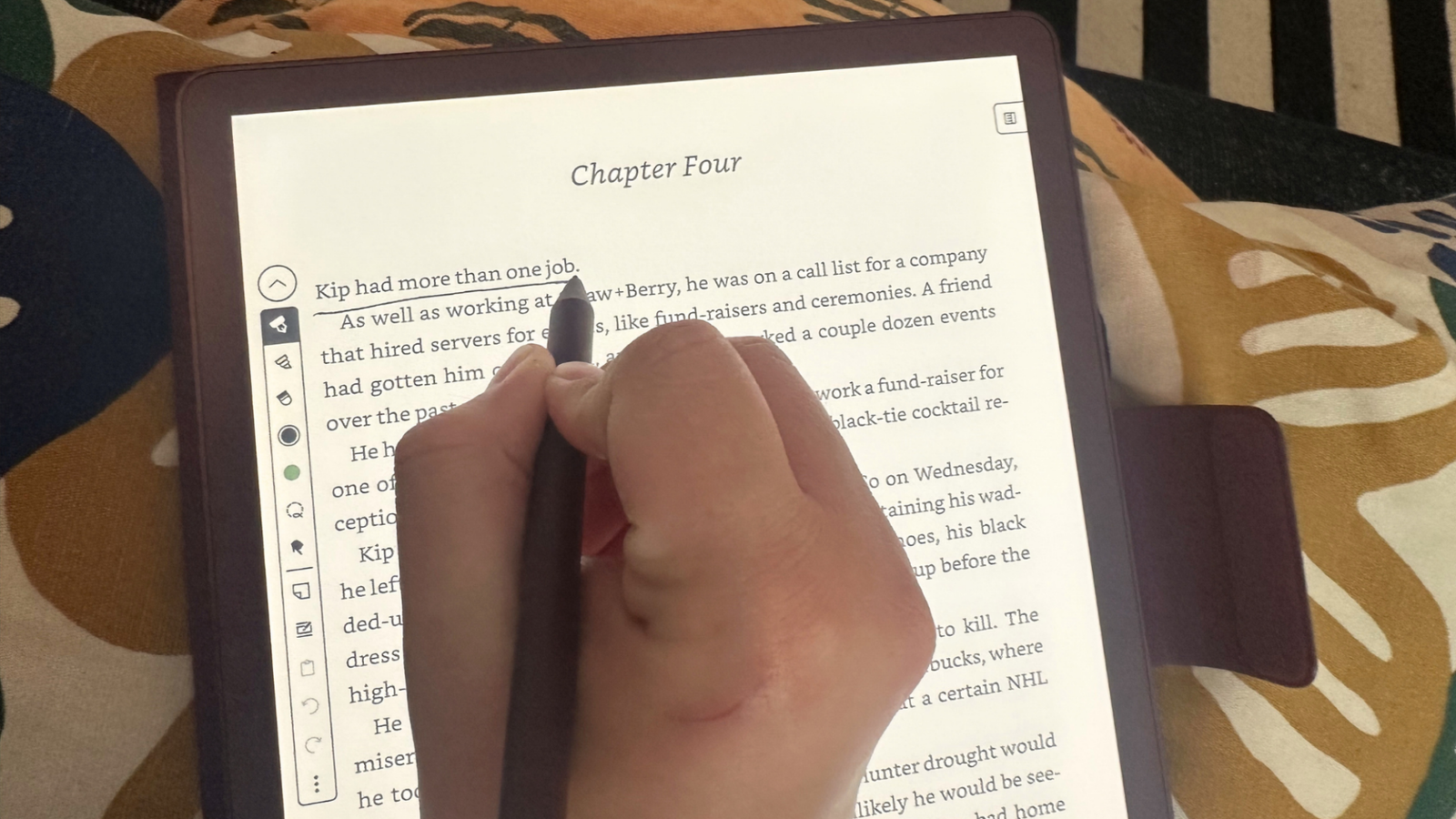
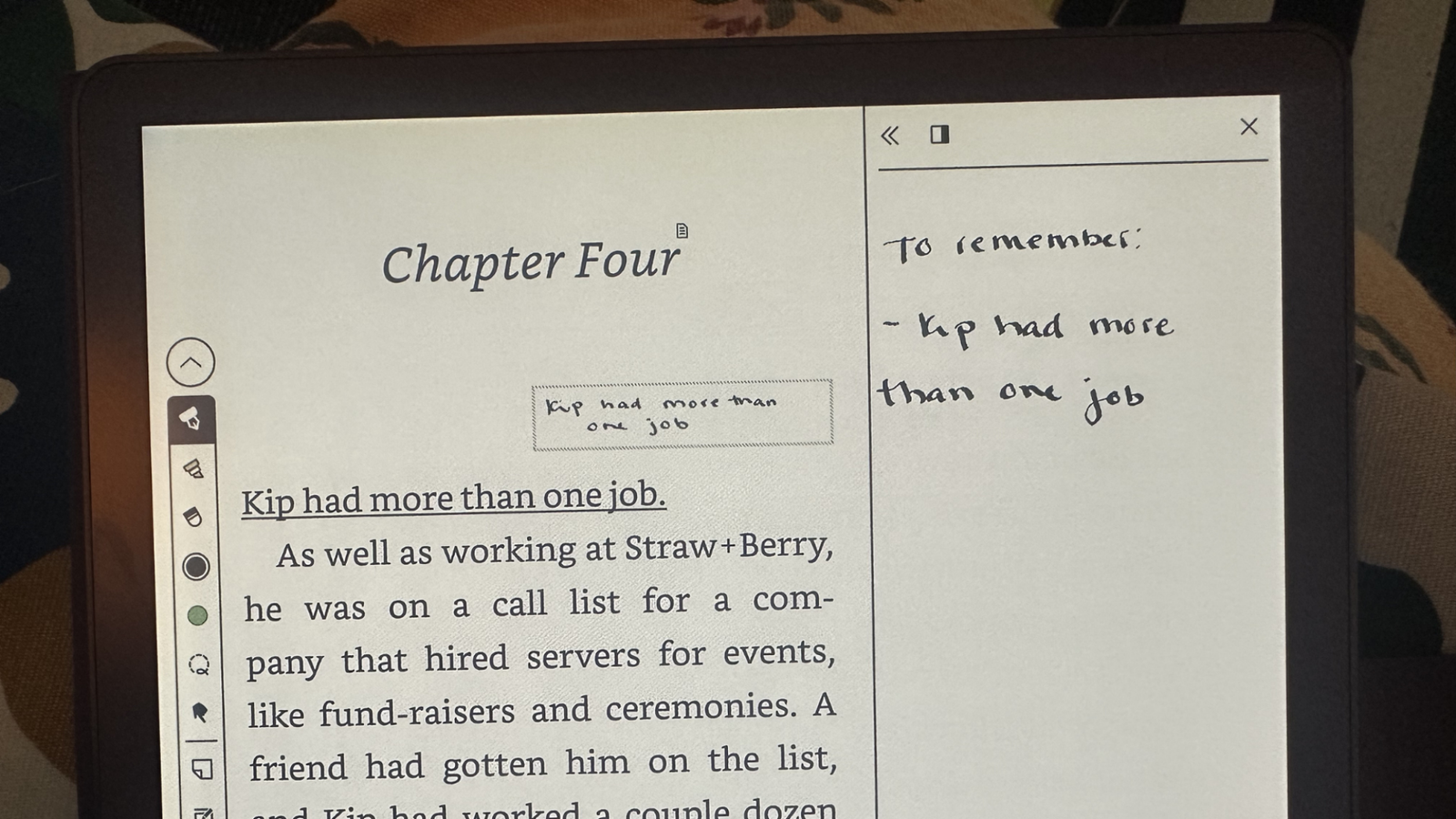
Another way the Scribe is nailing the user interface is how it collects notes. Testing the Kindle Scribe came at a convenient time as I was taking a class and needing to do some required reading. Using the Scribe, I annotated, wrote notes on the page, and made comments in the margins.
Credit: Samantha Mangino / Mashable
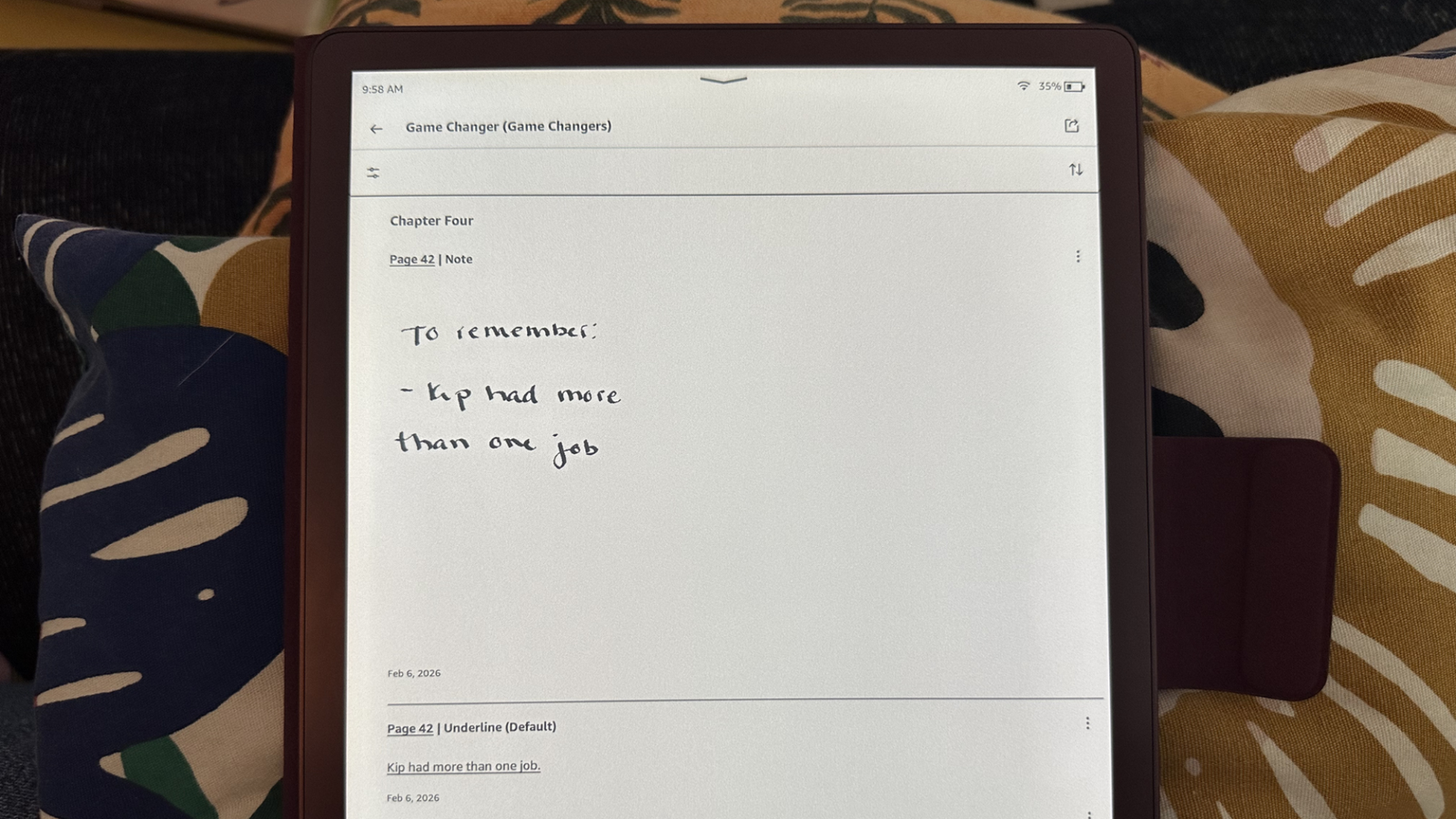
The Kindle collects all of these notes in one place, allowing you to see your comments and the section annotated. From there, you can tap to go back to the page where your notes are, which is extremely helpful when I was in a class discussion and wanted to go back to read a quote or remind myself of a thought I had about it.
Did Kindle solve ghosting?
Credit: Samantha Mangino / Mashable
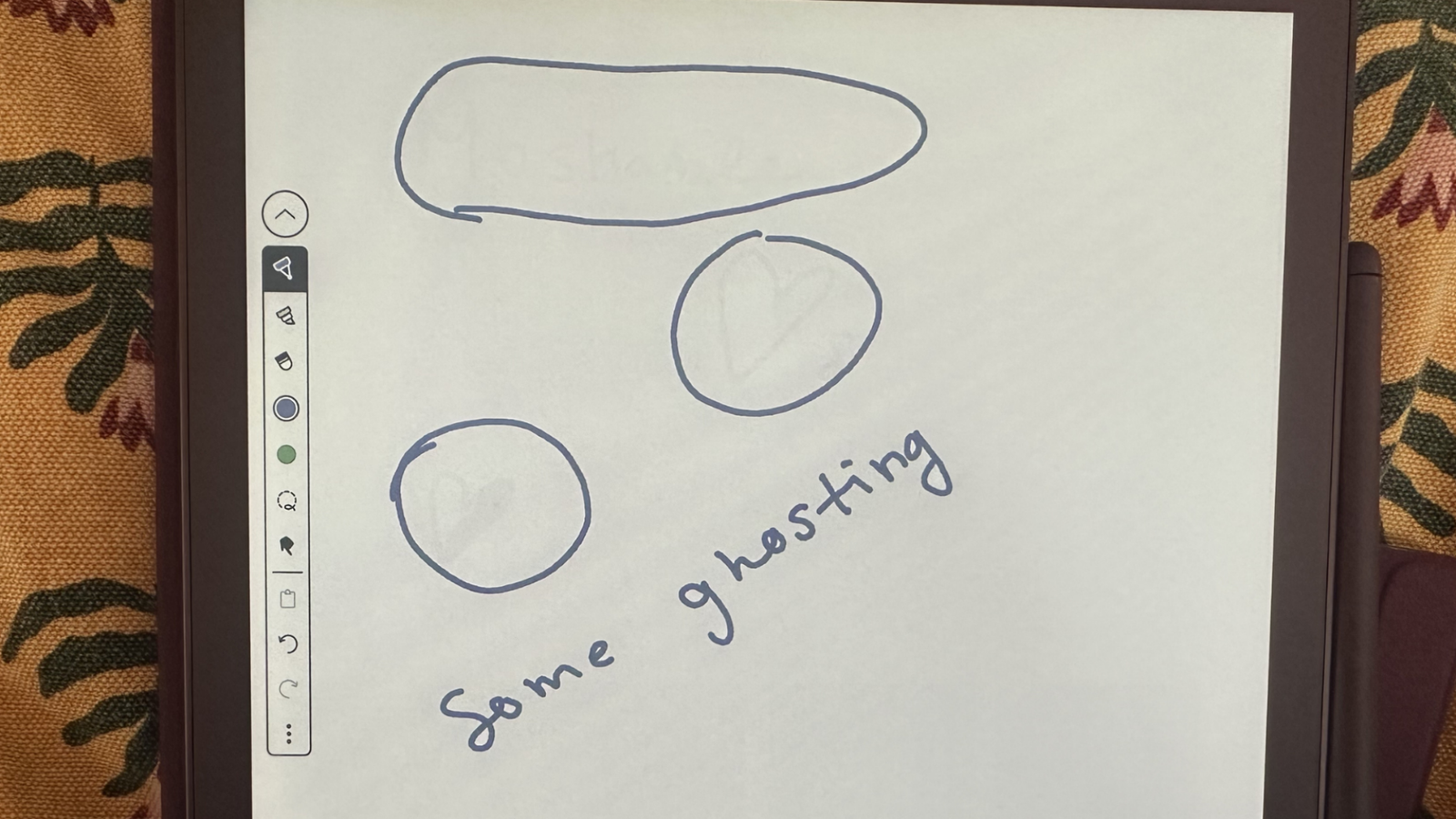
The Scribe has had one major performance issue across all generations thus far: ghosting. This is the phenomenon in which traces of previous screens linger, creating shadows of images. Ghosting is a common issue that any e-reader is susceptible to, but especially those with writing capabilities.
Ghosting on Kindle Scribes has been quite egregious in our previous reviews, so we didn't expect this Kindle to have nearly no ghosting. When using the device as an e-reader, there's no trace of ghosting.
When writing, though, some minor ghosting does appear. This typically happens after erasing on the Scribe. Some writing or drawing appears even after it's erased. Even this ghosting is mild, though, as I found that as soon as I refreshed the page, those marks disappeared.
Feeling like Lady Whistledown when I write
Credit: Samantha Mangino / Mashable
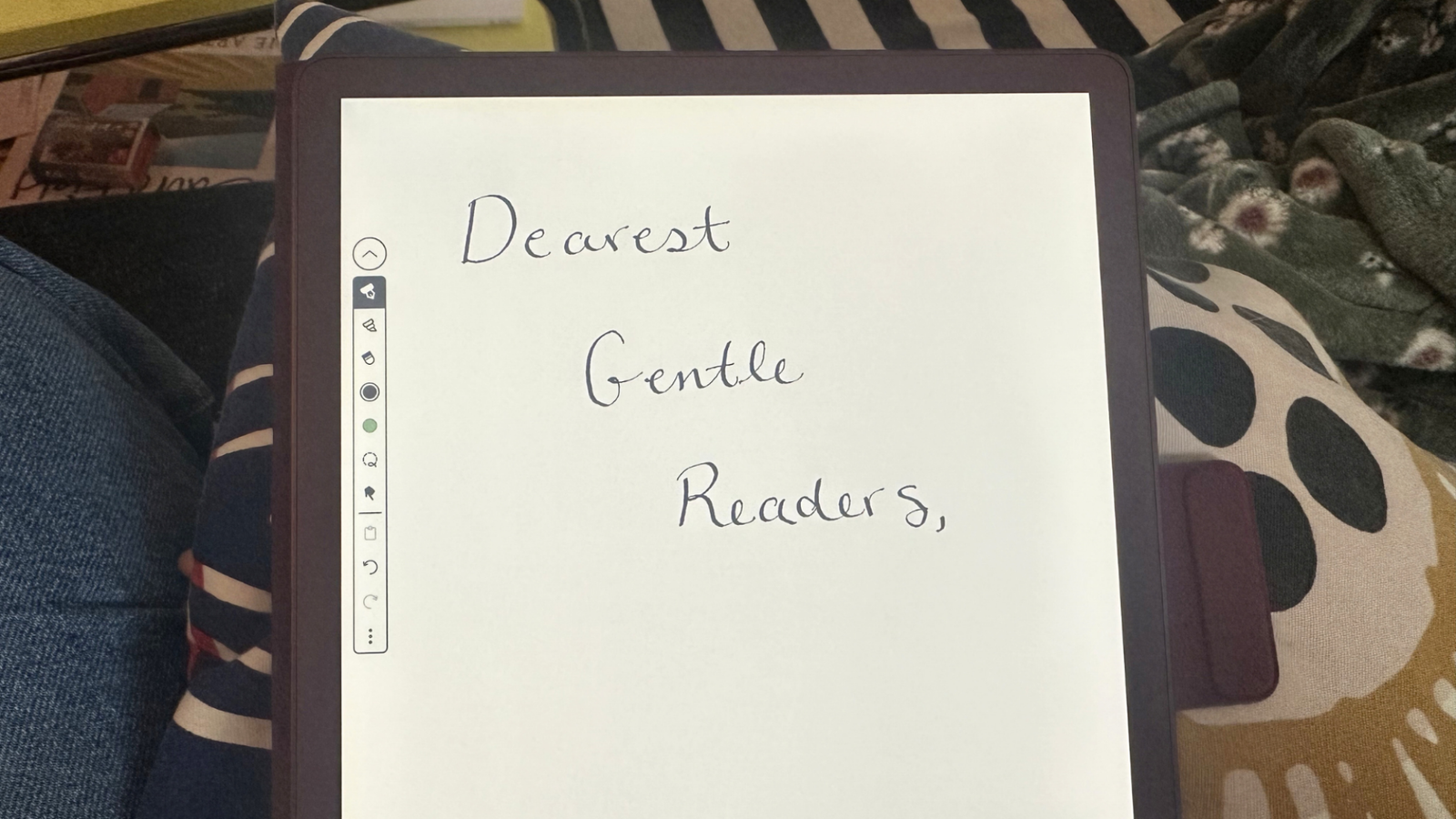
Whenever I need to write digitally, trying to craft a signature with a finger on the screen, it looks… terrible. Luckily, with the Kindle, my handwriting truly looks better than ever. To write, there's an included stylus, Amazon's premium pen that automatically connects to the device.
Credit: Samantha Mangino / Mashable
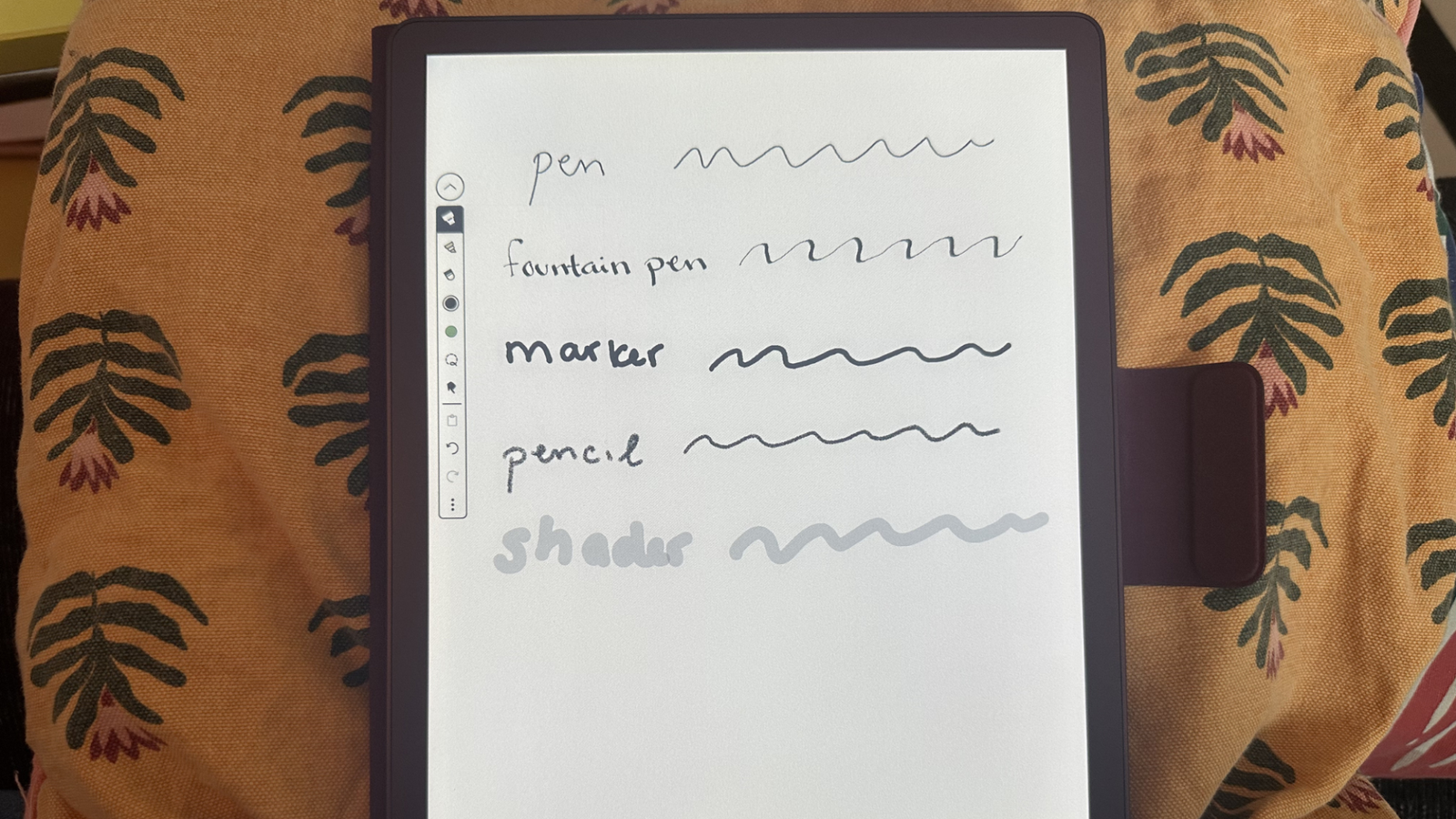
When writing with the premium pen, you have so many writing styles available, including pen, fountain pen, marker, pencil, and, for illustrators or highlighters, a shader. Each pen style has adjustable width and color, too, making it something you could even illustrate with.
I'm not an artist, so I can only judge it by its writing, and on that front, it makes my handwriting look neater and more beautiful. I'm particularly fond of the fountain pen, which has me feeling like Lady Whistledown writing with her quill.
Where does it stand to improve? The color resolution
While color e-readers are rising in popularity, some features are still slow to improve. The standard color resolution across most color e-readers, including the Kindle Scribe Colorsoft, maxes out at 150 ppi, half the usual black and white resolution. The result is muted colors and some pixelation.
To its credit, the Kindle Scribe Colorsoft works well within the constraints of its low resolution. It uses colors that skew in the pastel range, which look better than other shades. This is best showcased in the lock-screen ads, which I thought were delightful and gorgeous, surprising since I've never been impressed by Amazon's lock-screen images before.
It's still too expensive
Usually, I find Kindles to be well-priced e-readers, but the Scribe and Colorsoft e-readers are far too expensive. Unfortunately, this is the case for the Kindle Scribe Colorsoft, which starts at $629.99. This puts it on par with the Remarkable Paper Pro's price tag, although the Remarkable e-ink tablet has better color resolution and worse black-and-white resolution at 229 ppi for both.
It's certainly an investment, and if you're just using it as an e-reader, it's way overpriced. However, if you're looking for an e-reader that's also a great e-ink tablet, it is on par with the market price, even if we still think that the market price is too high.
Should you buy the Kindle Scribe Colorsoft?
Credit: Samantha Mangino / Mashable
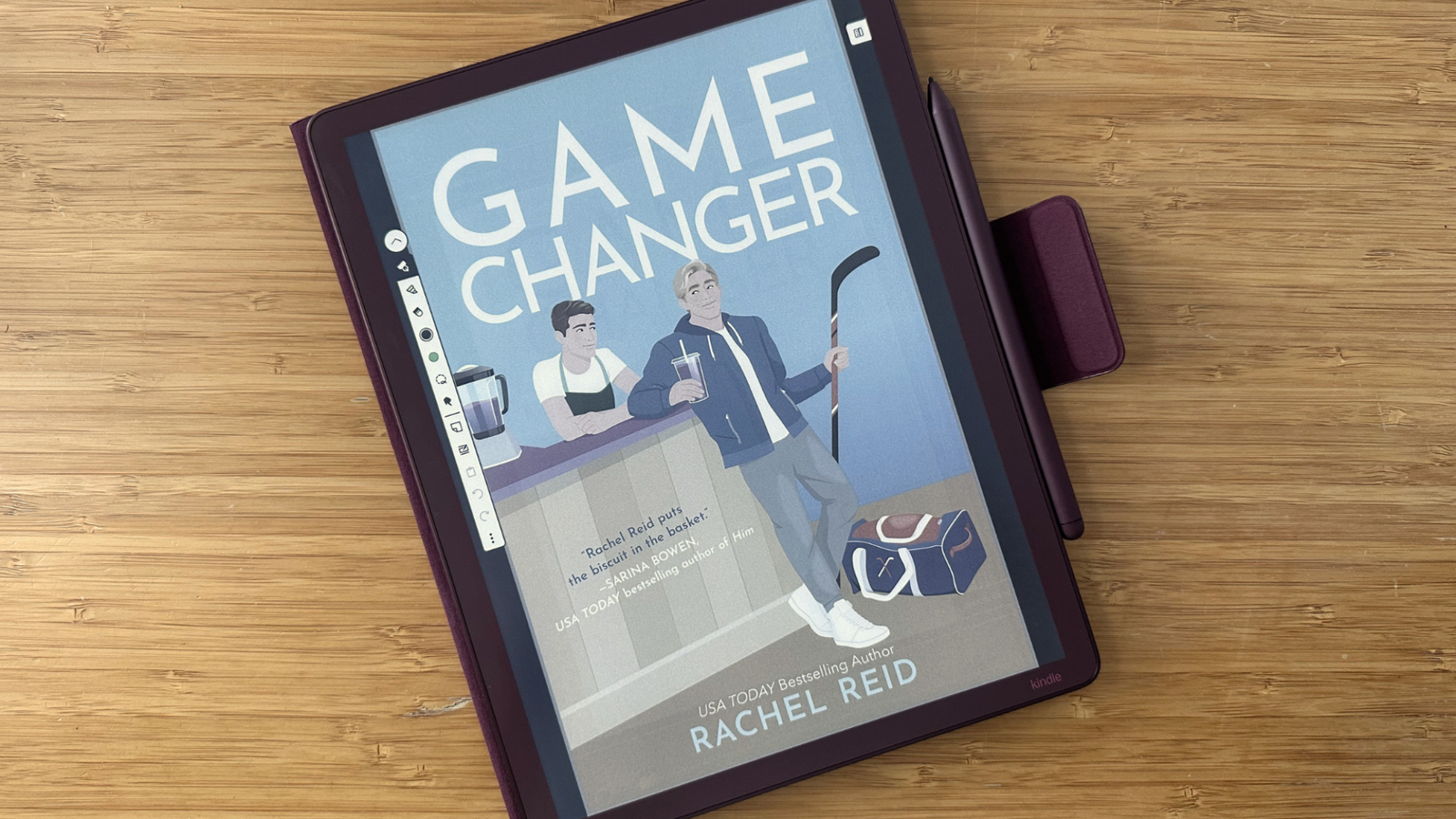
If you can stomach the price, I think the Kindle Scribe Colorsoft is the first Scribe worth purchasing. Its redesigned build has crafted a smaller tablet with a wider screen that's more comfortable to hold. The added front light is visually stunning and truer white background. Amazon has sped up the Kindle Scribe's processing, resulting in a faster e-reader with very little ghosting.
For those turned off by the price, I say hold out. It hasn't gone on sale yet, but if it does during the next Prime Day, it'll be a far better value than it is now.

When You’re This Age, Your Home Value Starts Taking a Massive Hit
The Golden Rules of Negotiating: How to Save 5% to 50% on Everything

How to watch Wales vs. France online for free

Send Help review: GLOP! Youre not ready for Rachel McAdams latest… but I love it
How I Paid Off My Mortgage 10 Years Early On A Teacher’s Salary

Black Lives Matter Activist in Boston Pleads Guilty to Federal Fraud Charges – Scammed Donors to Fund Her Lifestyle
-
 Tech3 weeks ago
Send Help review: GLOP! Youre not ready for Rachel McAdams latest… but I love it
-
Business5 months ago
How I Paid Off My Mortgage 10 Years Early On A Teacher’s Salary
-
 Politics5 months ago
Black Lives Matter Activist in Boston Pleads Guilty to Federal Fraud Charges – Scammed Donors to Fund Her Lifestyle
-

 Tech5 months ago
Get a lifetime subscription to the “ChatGPT for investors” for under $60
-

 Tech5 months ago
Review: The Dreame H15 Pro CarpetFlex is the first wet/dry vacuum I liked
-
Business6 months ago
25 Low-Effort Side Hustles You Can Start This Weekend
-
Business6 months ago
9 Ways to Command a Six-Figure Salary Without a Bachelor’s
-

 Entertainment4 months ago
Fat Joe Recalls Bruno Mars Snapping on Him Over Question About Puerto Rican Roots: ‘Broke My Heart’